Join us >> We’re hosting a webinar on Feb 19. covering the biggest updates in the 19.0 release. The product team will give you a walkthrough of key new features and functionality. Register here.
This winter update brings modernization to Resco’s Questionnaire Player and Live Preview Mode to the Mobile App Development Toolkit, speeding up the app-building process. Let’s look at the highlights from this release.
Updates for Inspections
Questionnaire Player as a standalone component
We’re introducing the second generation of the Questionnaire Player, which replaces old, custom code with global standards. It brings consistent, modern design across all devices, fast load times, and quick delivery of future features – including those previously impossible to build.
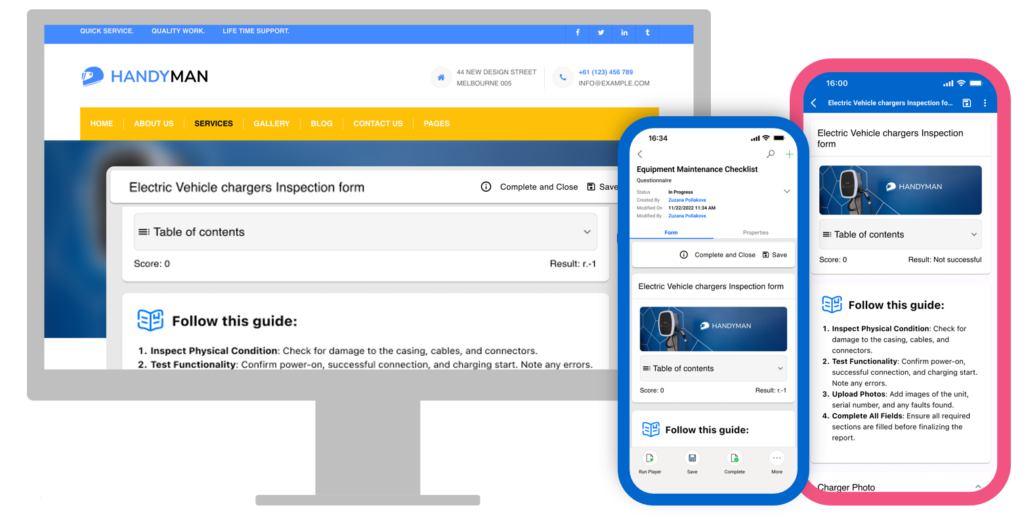
The architecture has been completely reworked in React and now uses the Material UI design framework. The design meets the highest accessibility criteria required for government projects. Questionnaires are designed once and rendered consistently across all devices.
When used in Power Pages, external users can fill in and submit the questionnaires – ideal for companies that work with external contractors or seasonal workers.

The Questionnaire Player can now work as a standalone component. It no longer requires a Woodford mobile project to run, shortening loading time and increasing flexibility.
This update also includes more functionality, such as AI translation for questionnaires, a table of contents, rich text, a search button, and improved validation.
Read more about the new features of Gen 2 Questionnaire Player here.
Questionnaires that understand human speech
It is now possible to fill out questionnaires by talking to a conversational AI assistant. Technicians can initiate a guided voice session with an AI assistant that will “read” the questionnaire aloud in the logical order and transcribe their answers.
The system is fully rule-aware, meaning it respects existing skip logic and asks only relevant questions based on previous answers. Users can either answer questions one by one or summarize an entire group of questions in a single spoken prompt.
Read more about AI-powered, voice‑activated form filling.
Quicker integration with Power Pages and Power Apps
This update brings easier configuration, quicker refreshes, better performance, and a fresh UI. Building demos is also shorter and easier.
In Power Pages, Questionnaire Player now operates as a native, lightweight React component. It loads directly into the browser without heavy background processes. To get you started faster, we’ve included a preconfigured “Demo Page” that lets you deploy a working example almost instantly.
In Power Apps, Questionnaire Player now operates as a PCF component. It is “context-aware”; it can often infer the correct template from the form’s context or display a native lookup dialog for immediate selection. It can automatically link itself to parent records—like Assets or Accounts.
Questionnaire Player in Power Pages can be used by external users as well.
Read more about Questionnaire Player’s quicker integration with Power Apps and Power Pages.
You can find the full technical overview of the modernized Questionnaire Player on Resco Wiki.
Updates for Mobile App Development Toolkit
Verify your changes immediately with Live Preview mode
To make the app-building process quicker and smoother, we’re adding a Live preview mode for configuring forms and views in Woodford.
Live Preview lets you see changes on your test devices immediately. Multiple test devices can be connected to the Live Preview mode at the same time to get feedback on the changes on various screen sizes and operating systems. Thanks to Live Preview mode, the app configuration process is quicker than before, resulting in faster app updates and shorter time-to-market.
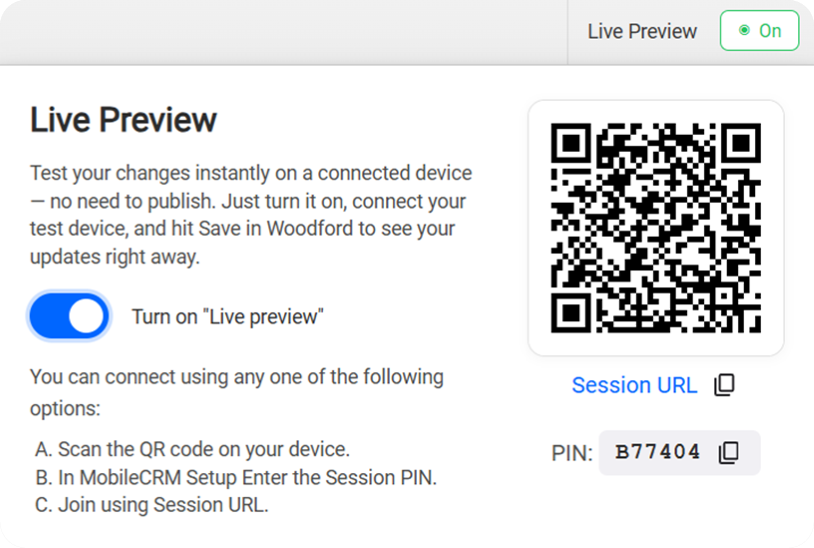
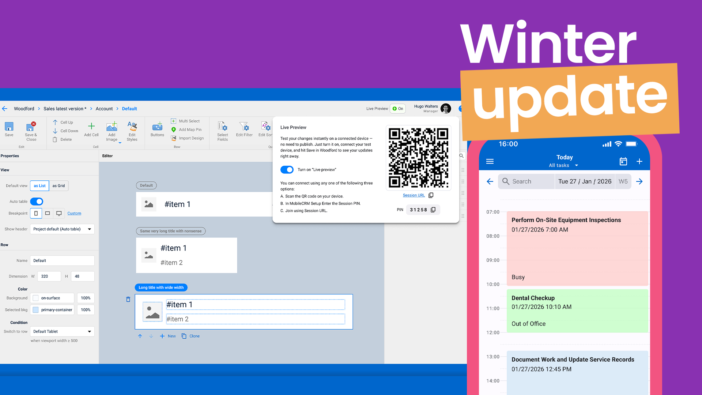
You can enable the Live Preview in Woodford using the dedicated On/Off toggle, then connect to the Live Preview session on your device by simply scanning the generated QR code. Once a device is connected to a Live Preview session, simply edit a form or view in Woodford, hit Save, and observe the changes immediately and comfortably.
Please note that this functionality is currently considered experimental. Once you try it out, we encourage you to get in touch and share your feedback with us.
Read more about Live Preview
Customizable Calendar Cards
The calendar component is a key planning tool for field technicians and salespeople.
App makers can now display more details on the Calendar Cards by utilizing three slots of the card: header, body, and footer. Based on the configuration, users can easily see detailed event information in their calendar at a glance, without having to open each card to view key details.
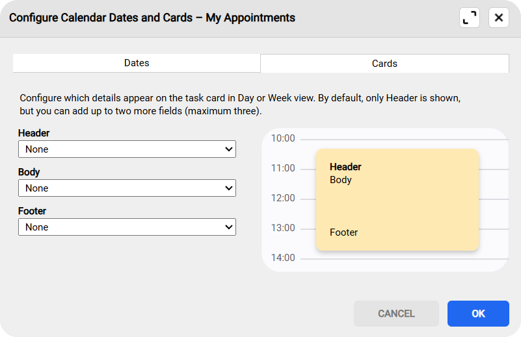
The Calendar Cards are configured in the Woodford user interface. Advanced use cases can be configured using rules, such as automatically highlighting urgent events in red, displaying different types of information based on defined conditions, and more.
Read more about Calendar Cards

For a full technical overview of the 19.0 Release, check out our Wiki release page.