Resco’s 19.2 release is packed with product updates, brand new licensing option and more. We’re introducing the Essential license, an entry-level option for teams who need the best-in-class data availability Resco mobile apps ensure.
On the product side, Resco Mobile Platform gets advanced search and filtering for mobile users and OS-specific app lock. Resco Forms extends form sharing to public users, brings Gen2 forms to Salesforce users in mobile CRM, and adds advanced logic to Power Pages.
We’re also releasing our own Resco MCP server for Dynamics and Salesforce, and more app admin tools.
New Essential license
Our lower-cost licensing option gives customers Resco’s best-in-class data availability, sync, full integrations, and custom business logic at a competitive price. Customers build and maintain their own mobile app UI. For those who’d like to vibe-code their UI, we recommend the Resco MCP server (available for Dynamics 365, Salesforce, and Resco Cloud).
To support the new Essential mobile license tier, App Configurator now includes an “Essential” app project template. Read more on the Resco Wiki, and see pricing on the Resco Mobile Platform Pricing page.
Resco Mobile Platform
OS-specific app lock – Let users unlock apps in a familiar way
App project administrators can now decide whether the mobile CRM app should require a local app password, PIN, or nothing at all via the new App Security setting.
Mobile users can have simple, flexible access when password protection is not needed, unlocking with a familiar PIN or biometrics on all supported platforms – iOS, Android, and Windows Store.
Additionally, the biometric/system verification is now supported also on Windows Store build of Resco mobile CRM app, via the Windows Hello implementation. Read more about OS-specific App Unlock on the Resco Wiki.
Advanced search and filtering for mobile users
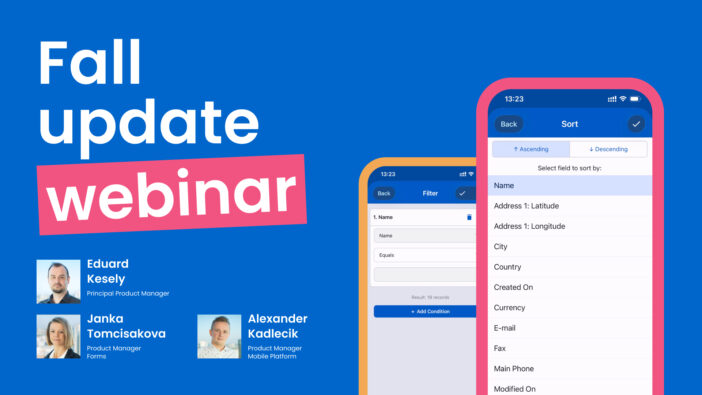
Mobile users in data-heavy jobs will enjoy that they now have the possibility to comfortably find specific records they need using the app’s new advanced search and filtering options.
We completely redesigned the Filter screen on views to let users combine multiple values and conditions in the app. Users can add or remove conditions, combine several of them (e.g. Region in X, Y, Z AND Due Date This Month), a live “Result: X records” count, apply the filter, or save it as a private view. They no longer need to ask IT to build a custom view for them. Read more about the Search and filtering redesign on Resco Wiki.
Additional improvements:
Exchange Web Services transitioned to Microsoft Graph
To ensure the Microsoft Exchange integration continues working, we have transitioned from EWS to the Microsoft Graph API. Any steps partners need to take will be published on the Resco Deprecations wiki page.
OpenTelemetry (OTEL)
Admins can now send mobile app telemetry (sync metrics and application logs) to their own OpenTelemetry (OTLP) collector and analyze them.
Global Constants can be now overrriden from a table in the backend, without editing and republishing the app project.
Diff-friendly rules in exported projects
Business rules in exported (or Git-uploaded) form and view files are no longer stored as HTML-escaped XML collapsed into a single line. They are now stored as human-readable, indented, multi-line XML that can be reviewed in a standard text diff.
Tree view search now uses “contains” to quickly find items when you only search a part of a name.
New mobile app users can choose which demo scenario they want to see – Field Sales or Field Service.
Woodford is renamed to App Configurator.
Read the full write-up of Resco Mobile Platform improvements on Resco Wiki.
Resco Forms
The 19.2 release makes using Resco Forms available to the widest group of mobile users yet and it also brings the most modern Gen 2 forms to Power Pages and Salesforce.
Extended form sharing
It is now possible to collect data from external anonymous users through Resco Forms. Customers or contractors can fill in a form without installing a Resco app. They do it simply by scanning a QR code or a link that they’ve been sent via email, WhatsApp, Microsoft Teams, or on the organizer’s website and complete the survey directly on the website.
All collected data is stored in Dataverse, where users with access can immediately view, manage and process it. All advanced Resco Forms functionality is supported. Each link can have an expiration date and maximum number of uses. Read more about how to set it up on Resco Wiki.
Gen 2 forms are reports in app for Salesforce users
Gen2 Resco Forms now runs in the Resco mobile app connected to Salesforce, with the same capabilities already available on Dynamics, including the new question components (rating and slider), the table view for repeatable groups, template adaptability across screen sizes, and other Gen 2 features.
Report designer on Resco Cloud can now read form templates directly from Salesforce, replacing the previous manual export/import workaround. Partners and customers can now build equally advanced offline forms and reports for both backends. Read more on Resco Wiki.
Advanced forms logic on Power Pages
Gen 2 forms embedded in Power Pages can now read Dataverse metadata and work with data in real time. Complex forms with lookups and data mapping now work natively in the browser, without a separate, simplified version.
Rules with fetches, lookups, data mapping, and custom JavaScript work the same way as in the Resco mobile app and Power Apps, including with tables other than Resco’s own.
Portal users can search, filter, and select records from authorized Dataverse tables directly in the form, see data from the parent record (e.g. Account or Work Order), and create related records on submission (e.g. a new Contact or Asset).
Data access follows the existing Power Pages table permissions and site settings, which are validated before the form opens. Read more on Resco Wiki.
Template adaptability across screen sizes
Forms opened on any device now adapt to the device they’re opened on – smartphone, tablet, laptop, or desktop. The auto-optimization mode automatically restacks elements into vertical/horizontal layout to make the content fit well on small screens. Users can switch the automatic layout on and off. Read more on Resco Wiki.
Additional improvements:
Undo/Redo
Users can undo and redo their changes while filling a Gen2 form.
Cascading lookups across question groups
Cascading lookups now work regardless of where the questions are placed in the Gen2 template.
Regional formats for numbers and dates
Number and date fields in Gen2 forms now follow the user’s regional settings.
Improved repeatable groups
A new “Always add to bottom” setting for repeatable groups controls where new instances appear.
Accordion expand for Gen 2 forms
A new expand mode for question groups lets users keep only one group open at a time, collapsing the others automatically.
Read the full write up of the 19.2 release on Resco Wiki.
Workspace: Resco MCP server and admin tools
Workspace is an AI-first web app, that gives app makers and admins an additional way to manage their Resco projects.
With this release it will have the new Resco MCP server, which connects the AI tool you already use, such as Claude, Copilot, ChatGPT or Cursor, to your Resco project, so you can configure and troubleshoot it by describing what you need in plain language and it also adds four admin tools.
Note: Workspace does not replace the App Configurator. Sign in to your workspace and try it today.
Resco MCP server
The Resco MCP server gives the AI tool you’re using direct access to your Resco project: data model, forms, views, workflows, home screen, dashboards, sync filters, sync logs, Resco Forms templates, and JSBridge documentation. The AI reads the actual configuration before it answers, instead of guessing. Resco MCP server works for Dataverse, Salesforce, and Resco Cloud app projects.
84 tools are available within the MCP server at the moment.
The AI can explain and validate workflows, change forms, lists, and the home screen, read sync logs to find out why a sync failed, create and edit Resco Forms templates, and upload offline HTML/JavaScript files to the project, and more. Read more about the MCP server’s full capabilities here.
Building with an MCP server gives you more accurate JavaScript and offline HTML code, because the AI works from the current JSBridge API reference, indexed knowledge base, and the project’s actual data model.
With each release, we plan to add more AI tools into your workspace to give you a faster and easier experience configuring Resco projects, while building reliable technology.
The MCP server is currently free to use in your workspace.
You can find the complete overview, set up guide, and list of tools on Resco Wiki. You will need admin approval to connect with your organization. In case you don’t have admin approval and you would still like to test Resco MCP server, please use our public test MCP server or contact us for a test drive option.
App admin tools in Workspace
Workspace gives app admins a single view of connected environments, backends, live form links, and Workspace users.
Admin tools available in your Workspace with the 19.2 release:
Backend Connections
Lets admins manage both organization-wide and personal connections to their backend environments in one place.
Resco Forms Connections
Lets admins add the Dataverse environment that will send out links and receive completed forms.
Resco Forms Link management
This tool gives admins central control over shared form links to inspections, surveys, or incident reports from customers, subcontractors, and the public.
Users and Permissions
Lets Workspace admins manage users and assign user roles.
Sign into your workspace and try it today.