Resco Forms+ for Power Platform
Create forms to collect field data in Power Platform
Conduct surveys, audits, and inspections, and use guided workflows directly in Power Apps and Power Pages. Deploy libraries of complex forms in hours, not months. Design in a simple drag-and-drop interface. Fit your specific industry and use-case.
Play video
-
Resco Forms+ for Power Platform
-
Resco software is trusted by customers across industries






Collect data on the go
Embed forms where you need them: Resco Mobile CRM, Dynamics 365, Power Apps, or Power Pages. Collect data from employees, external contractors, customers, or partners. Stay in control of security and compliance, while reducing licensing costs and keeping everything within your system.
Use forms beyond the Resco mobile app
Embed forms where you need them: Resco Mobile CRM, Dynamics 365, Power Apps, or Power Pages. Collect data from employees, external contractors, customers, or partners. Stay in control of security and compliance, while reducing licensing costs and keeping everything within your system.
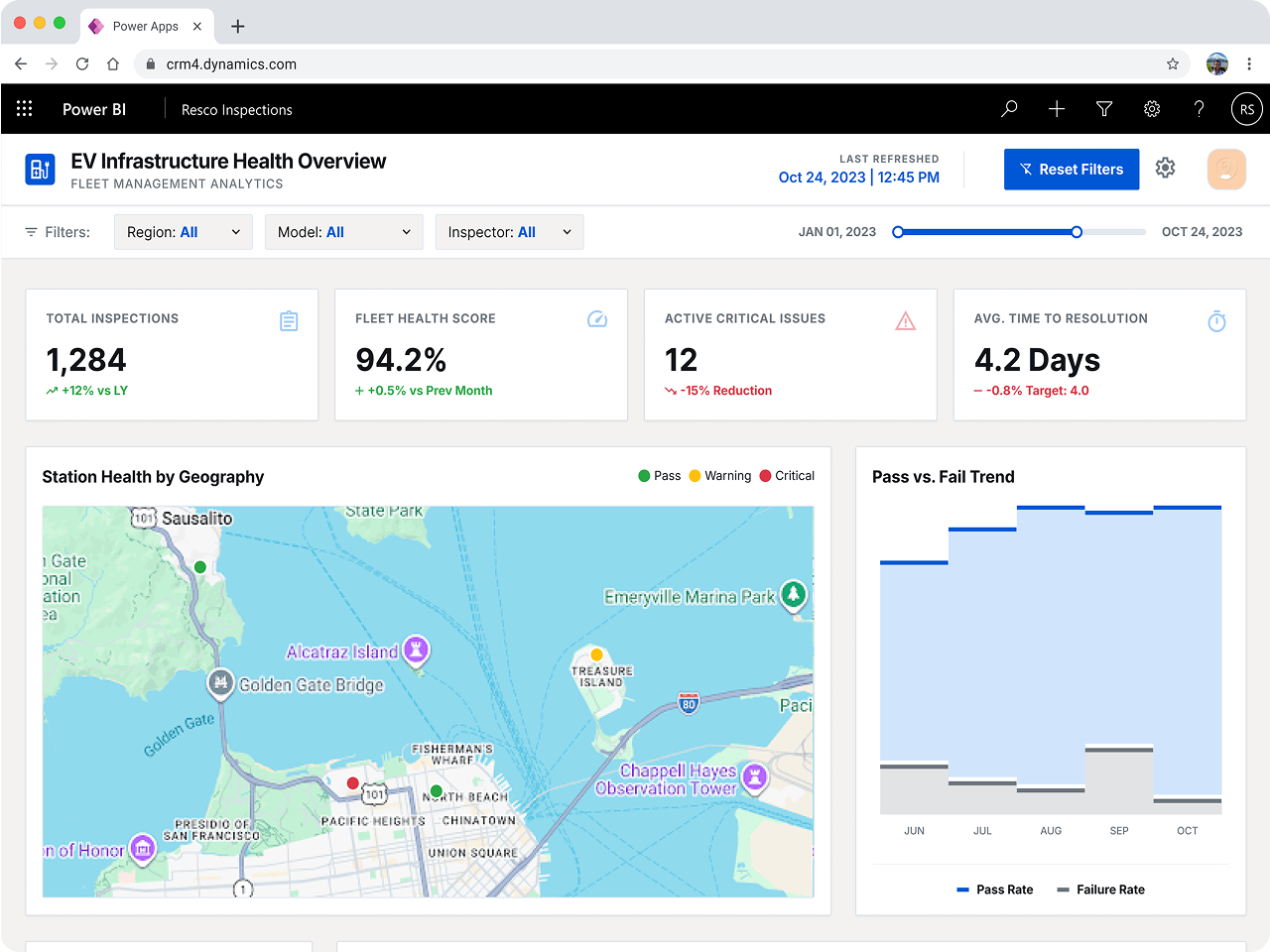
Get valuable business insights
Use guided workflows to increase the quality of data you collect. Access the data in real time. Feed it into Power BI or use it to train your AI applications and services. Apply the insights and improve your operations.
Prepare for the future of data collection
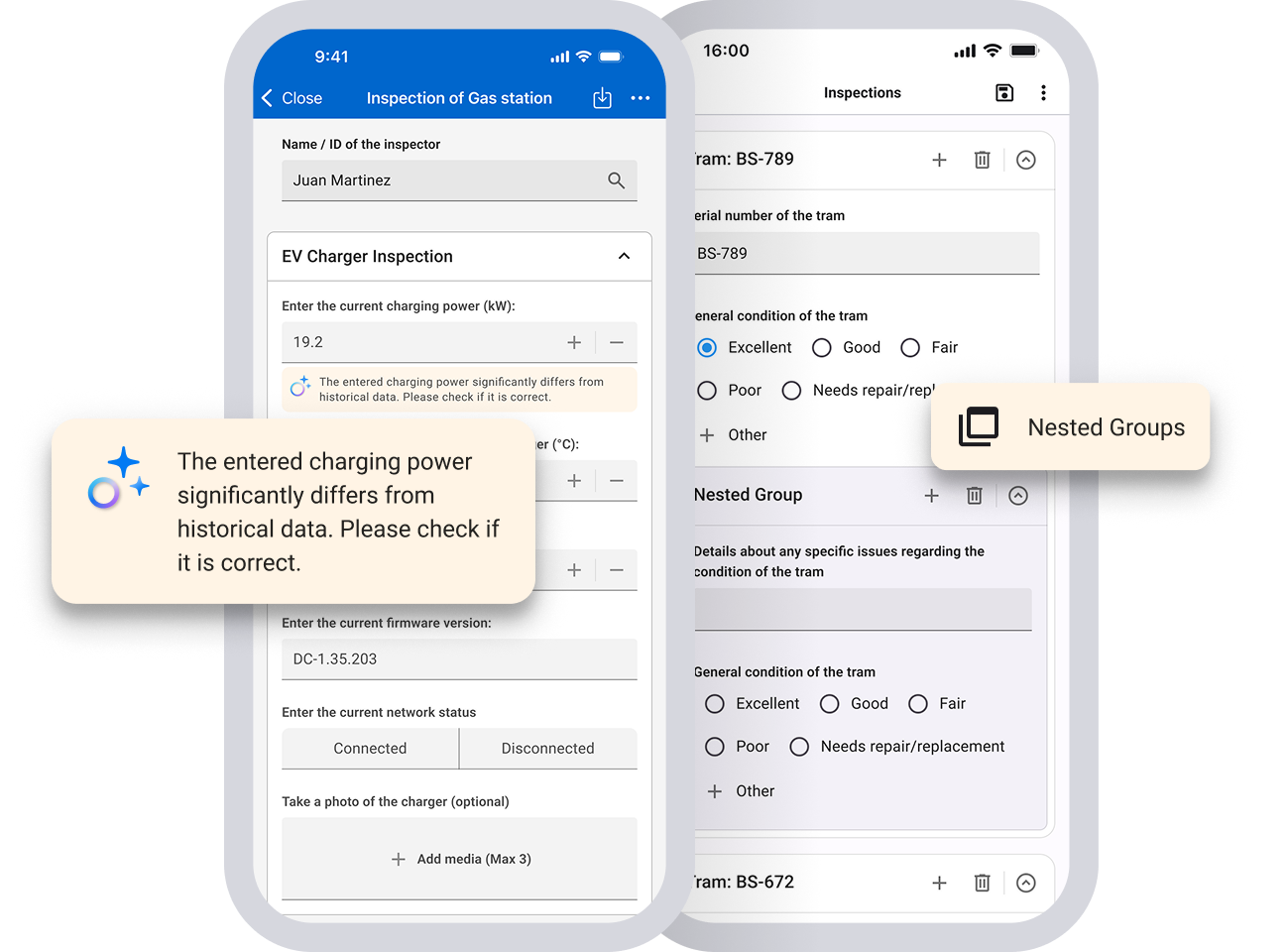
Forms+ functionality will grow with your needs. Upcoming updates will include support for questionnaires across Salesforce, websites, or custom apps and upgrades, such as nested question groups. AI-driven enhancements will make form creation, data entry, and analysis smarter and more intuitive. Test the newest data collection capabilities.
-

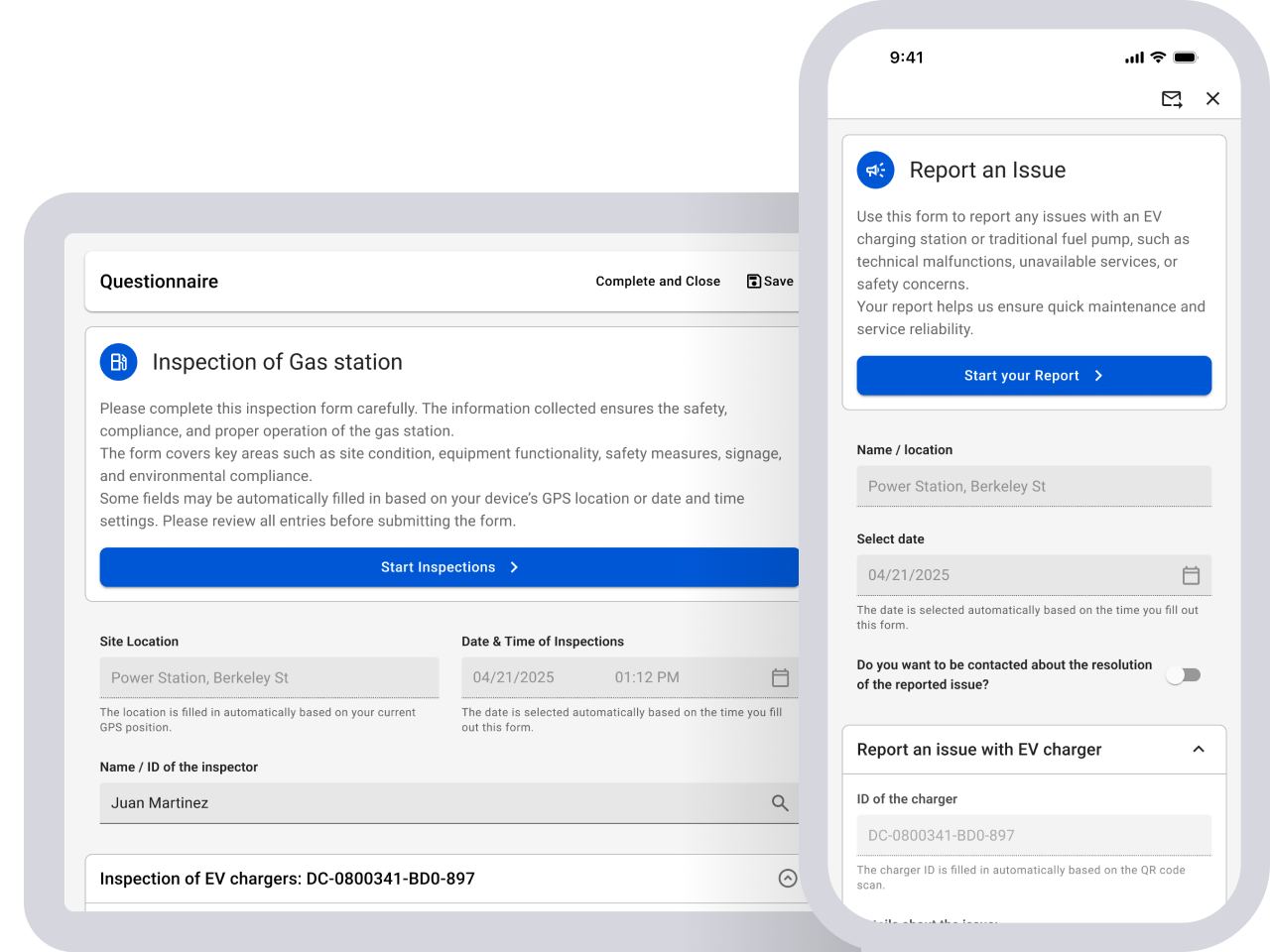
Power Apps
Use forms anywhere in your Power Apps
-

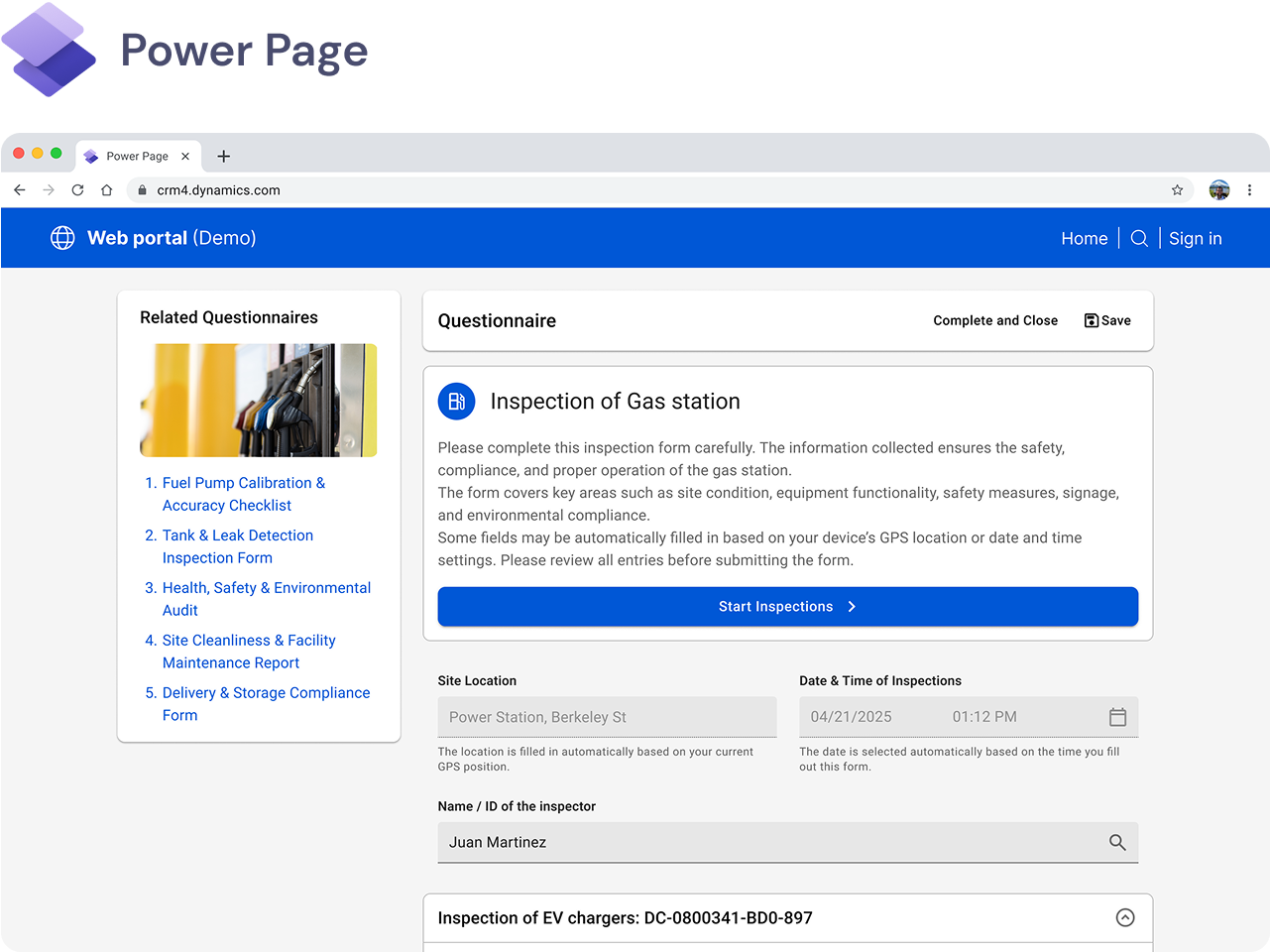
Power pages
Use forms on a Power Page to collect data from customers or contractors
Create forms to collect field data in Power Platform
How Resco Forms+ works
Everything you need for creating forms and collecting data
-
-
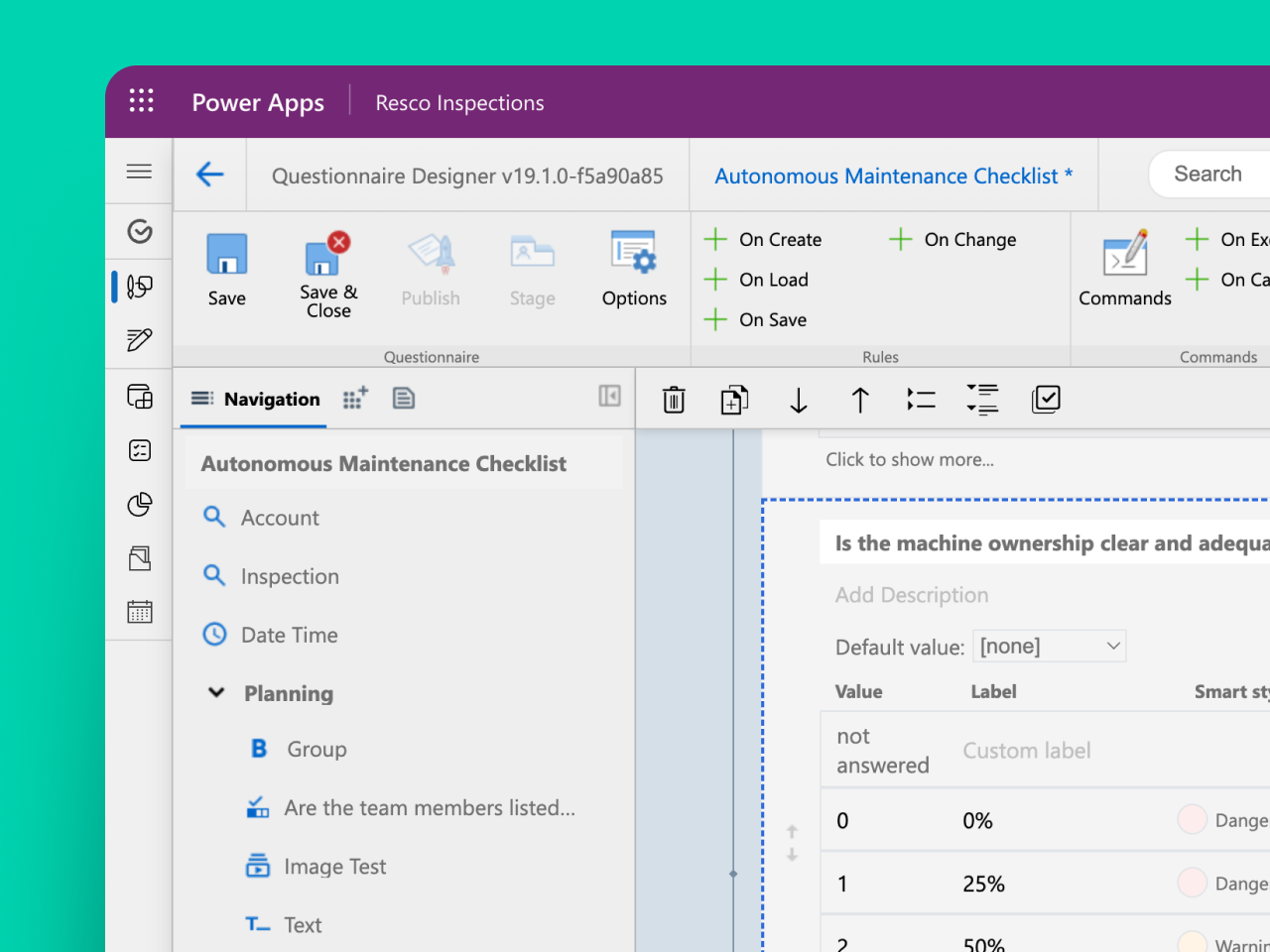
- Design your forms directly in Power Apps
- Use drag-and-drop interface, no programming needed
- Set up business rules and logic without coding
- Import existing questionnaires or forms from a PDF, image or Excel
- Select from 25+ types of questions, including multiple choice and signature
-
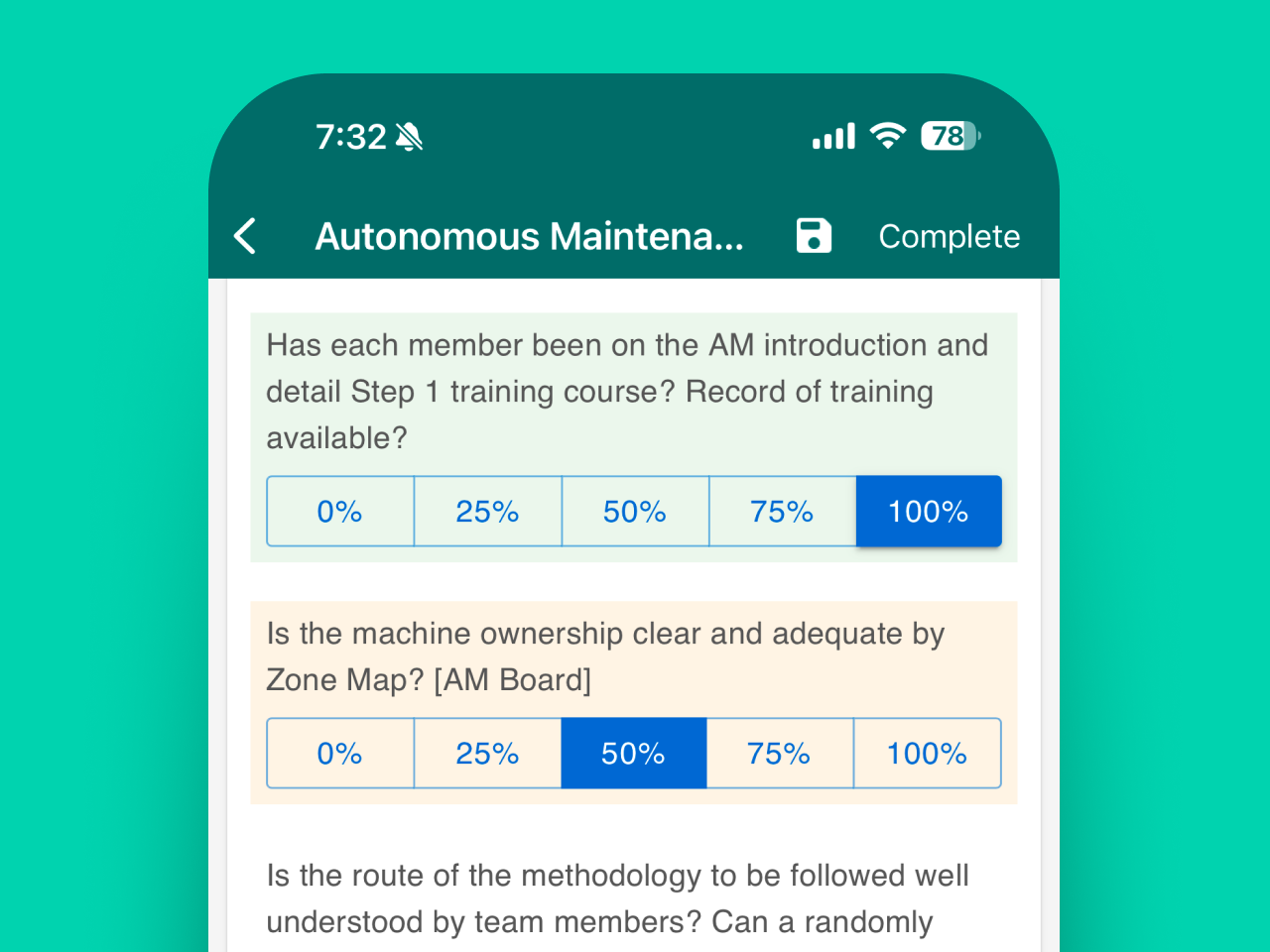
- Run your forms directly in Power Apps and Power Pages
- Collect data from frontline workers, customers or contractors
- Work from any device including tablets, smartphones and desktop computers
- Improve work accuracy and speed with guided workflows
-
Frequently asked questions
-
Resco Forms+ is a SaaS extension for Microsoft Power Platform. It enhances Power Platform with data collection capabilities. It allows users to build and conduct surveys, audits, and inspections, and use guided workflows directly in Power Apps and Power Pages.
-
Resco offers a 30-day trial. Get a free trial of Forms+.
-
The Forms+ solution contains everything you need for creating forms and collecting data. Build forms directly in Power Apps using a drag-and-drop interface of the Questionnaire Designer. Select from 25+ types of questions, including multiple choice and signature. Set up business rules and logic without coding. Import existing questionnaires or forms from a PDF, image or Excel. Use your forms to collect data directly in Power Apps and Power Pages using the Questionnaire Player, which works on any device including tablets, smartphones and desktop computers.
-
With over 20 years of experience in developing mobile technology, Resco places security at the forefront of our priorities. With ISO/IEC 27001:2022 certification, Resco ensures your data is safeguarded at the highest industry standards. Integrated with Microsoft tools, our platform offers trusted data storage and management.
Questionnaire Player overview
-
The Questionnaire Player is a component used in Resco apps and elsewhere to display and fill out forms. Users can complete surveys, checklists, or inspections with it.
It works in the Resco Mobile CRM app and can also be added to Microsoft Power Apps or Power Pages (and eventually to any webpage). This makes it easy to collect data in the field, both online (on the web) or offline (in Resco Mobile CRM and, to a lesser degree, in Power Apps).
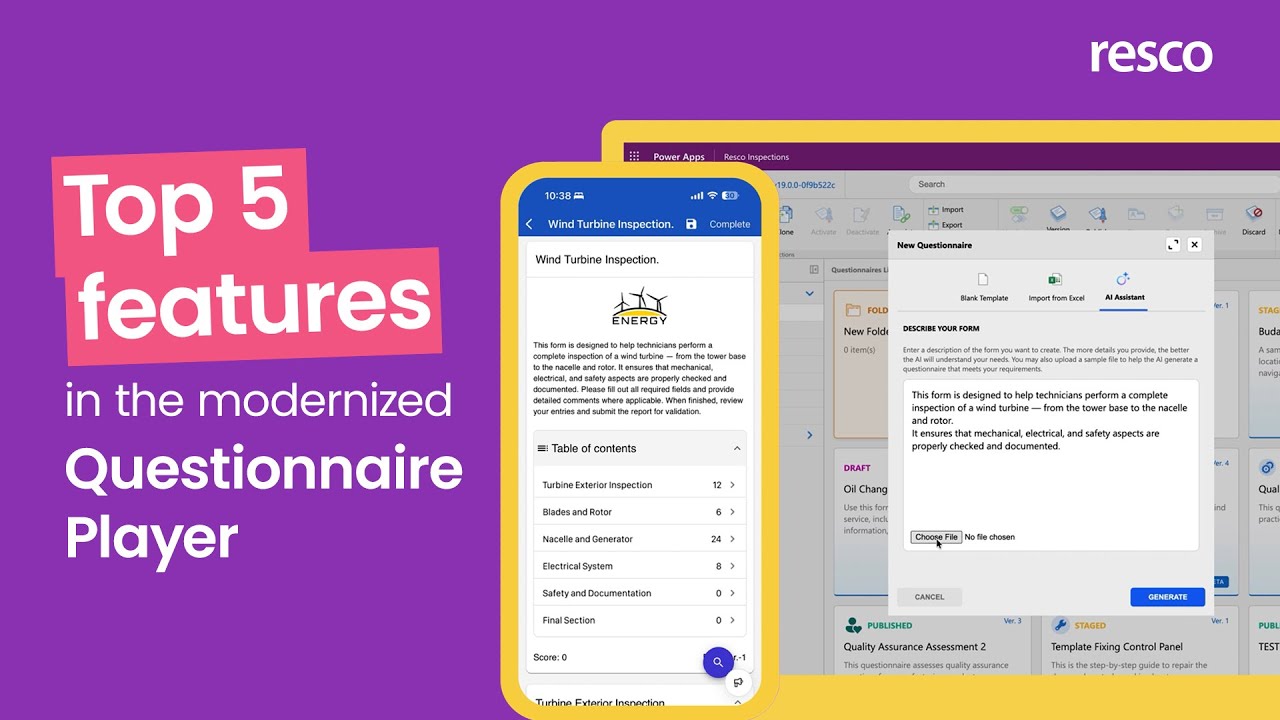
The modernized Questionnaire Player is a major upgrade, introducing features like AI-powered voice activated form filling cover pages, table of contents, rich text descriptions, search button, or improved error validation. It uses new, modern technology that makes it faster and smoother to use. The updated design using MUI is easier to navigate and looks more modern. Better integration with Power Apps and Power Pages allows app makers and web developers to deliver faster. Thanks to this upgrade, it allows us to add new features more quickly — including some that weren’t possible before.
-
- AI-Powered intelligence
We’ve integrated Generative AI directly into the workflow to eliminate manual work:- AI-Assisted generation: Build complex questionnaire templates in seconds from a simple text prompt or by uploading a source document (PDF/Excel).
- Instant localization: Translate entire questionnaires into multiple languages with a single click, removing the need for manual file exports and external translation services.
- Voice-activated filling: Empower field staff with hands-free data entry. Our AI assistant guides users through the form, asking questions and transcribing spoken answers in real-time. It is perfect for hazardous, high-pressure environments or for salespeople on the go.
- Effortless navigation for complex questionnaires
Managing forms with hundreds of questions is now seamless, reducing user frustration and saving time:- Intelligent Table of Contents: An automatically generated overview that lets users jump to any section and track their progress (including real-time scoring).
- Native search engine: Quickly locate specific questions or phrases across the entire form, even within collapsed sections.
- Guided form validation: No more “hunting for the red box.” If a validation fails, the player whisks the user directly to the exact spot that needs fixing.
- Professional guidance & rich media
Improve data quality by providing technicians with clear, visual context:- Rich text & “mini-manuals”: Combine formatted text, bullet points, hyperlinks, and images into a single component to build professional guides directly inside the form.
- Cover card: Create impactful first impressions with a cover card for better branding and project context.
- Universal reach & seamless integration
QPG2 is a standalone engine designed to work wherever your business happens:- Native Power Platform integration: Deploy questionnaires as native components in Power Apps and Power Pages.
- Contextual data: Easily link questionnaires to any Dataverse record (Appointments, Assets, or Work Orders) without writing a single line of JavaScript.
- Platform independence: Built on modern HTML standards, ensuring a consistent, high-performance experience on any device, OS, or web portal
- AI-Powered intelligence
-
Yes, some things are changing, both behind the scenes and in how questionnaires look and work. Here are the key updates:
1. Styles are being removed. They’re replaced by simpler color settings. Some layout options (like horizontal or vertical choices) are now set directly in the question properties.
2. The logo component is gone. Instead, you can now design a full cover page for your questionnaire.
3. Legacy data formats are no longer available. The latest player requires full template dependency, modern JSON format, and using questionnaire_answer entity for responses.
If you need any of these features, you can continue using the legacy questionnaire player.
Usage
-
No, you don’t! Questionnaires are no longer tied to Woodford or Resco app projects. This gives you much more flexibility.
Soon, you’ll be able to add questionnaires to portals, or even send them by email — no Woodford needed.
-
No, you can keep using your current setup in production. There’s no need to switch.
Consider upgrading if you are interested in the new features of the modernized Questionnaire Player such as smoother integration with Power Apps and Power Pages or AI-powered voice-activated form filling. It is the foundation for our future – a new Resco portal for sharing forms via a simple link or embedded form into your own website. Also, this is a building block for complex features, such as Table layout, Nested groups, or AI advancements.
-
Definitely! In fact, this is the recommended way.
Migration & upgrading (for existing clients)
-
Since February 2026, the modernized Questionnaire Player has been publicly available
Make sure your questionnaire setup meets the requirements:
– Your templates must use full template dependency
– Answers must be stored in the questionnaire_answer entity
– The data uses a modern JSON format -
Yes, you’ll be able to upgrade your templates to work with the new player.
Some manual revision of the templates might be needed since a few features are being changed or removed.
-
Yes! You can convert your existing questionnaire templates to the next generation and take advantage of the new features, modern user interface, and enhancements.
-
For now, you can try modernized questionnaires in a test environment. Just follow the steps in our setup guide on the wiki.
-
Nothing changes. Your existing questionnaires and collected data stay as they are. You can still view and work with them using the Questionnaire Player Gen 1.
-
No, you won’t lose access. The current player will still be available, and you can use both players side by side in the same solution.
-
There’s no button to convert the modernized player to the previous version. However, if you saved an older version before upgrading, you can easily return to it.
Good news—you won’t lose any changes made after the upgrade if the modernized version was staged or published. It will simply move to the archive. Only draft changes are discarded when you go back to an older version.
-
Yes — if you’re already using the recommended setup (template dependency, modern JSON format, and storing answers in the resco_questionnaireanswer entity), your integrations will continue to work as before.
However, the template data model is changing. In the modernized version, all questions are stored as a single JSON field in the resco_questionnaire table. The resco_question and resco_questiongroup tables are no longer used.
So while answer data stays the same, you may need to update any integrations that rely on the old question structure.
-
1. Documentation – Modernized Questionnaire Player – Resco’s Wiki
2. Your Resco Partner – They can help you plan and test your upgrade.
3. Resco Support – You can always reach out to our support team with questions.
Licensing
-
If you’re a named user (using the Power Apps or Resco Mobile CRM), you’ll need a per user/month license to access and use questionnaires.
For external users on Power Pages, use modernized Questionnaire Player for free until end of August. Then, you’ll need a per user/month license.
-
Normally, existing customers can continue using their licenses and no changes are needed. One exception is when you are taking advantage of questionnaires on Power Pages (or eventually custom webpages), this will require a per user/month license.
Security & compliance
-
Yes. Since data is stored in Dataverse, it follows Microsoft’s compliance framework—including data residency, retention policies, and backup standards. No form data is permanently stored on Resco infrastructure unless explicitly configured.
-
Absolutely. Access is managed through Dataverse security roles, which let you define permissions for reading, writing, and submitting forms.
Additionally, questionnaire visibility can be controlled based on user roles, teams, or even record-level rules.
-
No. Resco does not access or store customer questionnaire data.
-
Yes. Because the solution is built on Dataverse and connects through secure, auditable channels, it aligns with common data protection regulations like GDPR, CCPA, and others. You maintain control over data access, consent, and deletion.
Support & contact
-
Contact us using Resco support portal (https://resconet.atlassian.net/servicedesk/customer/portal/3/group/18) or contact your business development manager at Resco directly.
Add more solutions to your project
-
See solution
Resco Docs+
Automate document generation & delivery
Fits your industry
-

Utilities
Perform equipment inspections, environmental audits, and utility infrastructure assessments. Ensure the reliability and safety of energy systems.
-

Automotive
Inspect vehicles, check maintenance, and audit dealership. Ensure vehicle safety and quality service.
-

Manufacturing
Conduct quality control inspections, safety audits, and equipment maintenance checks. Enhance product quality and worker safety.
-

Construction
Conduct site inspections, safety audits, and project progress assessments. Ensure compliance with safety regulations and project timelines.
Mobilize your business today
-

Desktop
-

Web
-

Tablet
-

Mobile
-
-

Windows
-

macOS
-

iOS
-

Android
-
Create forms to collect field data in Power Platform
-